A little order. A lot of color.
Find a happy home for your colors.
Free printable marker and pencil swatch charts. Choose your brand and exact collection, download the A4 PDF, and fill each empty box with your own colors.
123 charts · 19 brands · 108 swatches per A4 · No account needed
Make a personal chart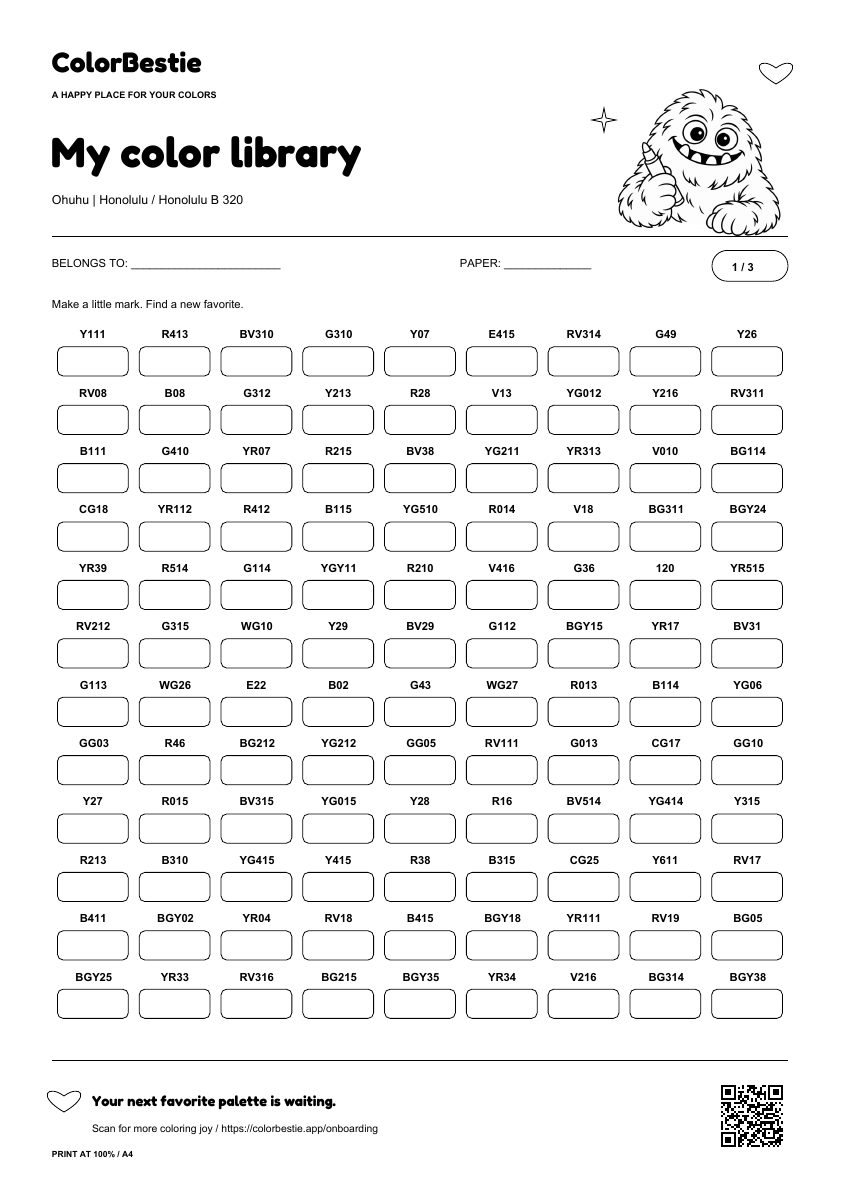
Which swatch chart should I print?
Match the series, set size and edition on your packaging, including any replacement pencil codes or marker tip variant. A boxed-set chart lists that particular product; a line-reference chart lists labels from a published color chart and may include colors outside your own set. Each download page explains its source and limitations.
Print at 100% on the paper you normally color on. The empty boxes show your actual colors on that paper, rather than a screen color estimate. Larger boxes and a custom selection are available in the personal chart maker.
Looking for Ohuhu 320, Copic Ciao or Caliart?
Open a chart name for its first-page preview, included codes and source. Use PDF ↓ for the full blank printable download; the preview image is not the PDF.
- Ohuhu Honolulu / Honolulu B 320 swatch chart: 320 labels on three A4 pages. Check the code edition against your caps.
- Copic Ciao 180 color chart template: the full 180-label selection on two A4 pages. For a smaller box, choose its named Ciao set below.
- Caliart 121: choose Brush / Chisel or Brush & Fine to match your tip edition. Both downloads have two A4 pages; do not choose by the number 121 alone.
Arrtx swatch charts
- Acrylic Paint Markers (Brush Tip) 60A Regular Colors60 unique labels · 1 A4 page · Named setPDF ↓
- Acrylic Paint Markers (Brush Tip) 60B Anime Colors60 unique labels · 1 A4 page · Named setPDF ↓
- Acrylic Paint Markers (Brush Tip) 60C Landscape Colors60 unique labels · 1 A4 page · Named setPDF ↓
- Acrylic Paint Markers (Brush Tip) 90A Colors90 unique labels · 1 A4 page · Named setPDF ↓
- Acrylic Paint Markers (Brush Tip) 90B Landscape Colors90 unique labels · 1 A4 page · Named setPDF ↓
- Acrylic Paint Markers (Brush Tip) 120A Anime Colors120 unique labels · 2 A4 pages · Named setPDF ↓
- CreaChick x Arrtx Acrylic Markers 6060 unique labels · 1 A4 page · Named setPDF ↓
- OROS (Pastel Colors) 6666 unique labels · 1 A4 page · Named setPDF ↓
- OROS 8080 unique labels · 1 A4 page · Named setPDF ↓
- OROS 9090 unique labels · 1 A4 page · Named setPDF ↓
- OROS 160160 unique labels · 2 A4 pages · Named setPDF ↓
Artistry swatch charts
- Twin Markers 6060 unique labels · 1 A4 page · Named setPDF ↓
ATOPSTAR swatch charts
- Alcohol Markers (Fine & Chisel, Black Shell) 120120 unique labels · 2 A4 pages · Named setPDF ↓
Bianyo swatch charts
- Brush & Fine 366366 unique labels · 4 A4 pages · Named setPDF ↓
- Classic 72 · pictured 2024 colour card72 unique labels · 1 A4 page · Named setPDF ↓
Caliart swatch charts
- Brush / Chisel 121121 unique labels · 2 A4 pages · Named setPDF ↓
- Brush & Fine 121121 unique labels · 2 A4 pages · Named setPDF ↓
Copic swatch charts
- Ciao 1212 unique labels · 1 A4 page · Named setPDF ↓
- Ciao 2424 unique labels · 1 A4 page · Named setPDF ↓
- Ciao 36 A36 unique labels · 1 A4 page · Named setPDF ↓
- Ciao 36 B36 unique labels · 1 A4 page · Named setPDF ↓
- Ciao 36 C36 unique labels · 1 A4 page · Named setPDF ↓
- Ciao 36 D36 unique labels · 1 A4 page · Named setPDF ↓
- Ciao 36 E36 unique labels · 1 A4 page · Named setPDF ↓
- Ciao 72 A72 unique labels · 1 A4 page · Named setPDF ↓
- Ciao 72 B72 unique labels · 1 A4 page · Named setPDF ↓
- Ciao 180180 unique labels · 2 A4 pages · Named setPDF ↓
- Classic 1212 unique labels · 1 A4 page · Named setPDF ↓
- Classic 3636 unique labels · 1 A4 page · Named setPDF ↓
- Sketch 1212 unique labels · 1 A4 page · Named setPDF ↓
- Sketch 3636 unique labels · 1 A4 page · Named setPDF ↓
DecoTime swatch charts
- Twinmarkers · official color chart312 unique labels · 3 A4 pages · Line referencePDF ↓
ENMY swatch charts
- Black Box Direct Liquid Acrylic Paint Markers 8080 unique labels · 1 A4 page · Named setPDF ↓
Grabie swatch charts
- Bold & Bright Acrylic Gel Pen Coloring Kit 12 Dessert Colors12 unique labels · 1 A4 page · Named setPDF ↓
- Bold & Bright Acrylic Gel Pen Coloring Kit 12 Essential Colors12 unique labels · 1 A4 page · Named setPDF ↓
- Bold & Bright Acrylic Gel Pen Coloring Kit 12 Forest Colors12 unique labels · 1 A4 page · Named setPDF ↓
- Bold & Bright Acrylic Gel Pen Coloring Kit 12 Ocean Colors12 unique labels · 1 A4 page · Named setPDF ↓
- Bold & Bright Acrylic Gel Pen Coloring Kit 12 Tropics Colors12 unique labels · 1 A4 page · Named setPDF ↓
- Bold & Vivid Acrylic Gel Pens 8 Dessert Colors8 unique labels · 1 A4 page · Named setPDF ↓
- Bold & Vivid Acrylic Gel Pens 8 Essential Colors8 unique labels · 1 A4 page · Named setPDF ↓
- Bold & Vivid Acrylic Gel Pens 8 Forest Colors8 unique labels · 1 A4 page · Named setPDF ↓
- Bold & Vivid Acrylic Gel Pens 8 Ocean Colors8 unique labels · 1 A4 page · Named setPDF ↓
- Bold & Vivid Acrylic Gel Pens 8 Tropics Colors8 unique labels · 1 A4 page · Named setPDF ↓
- Dual Tone Acrylic Paint Markers (Brush & Brush) 60 (120 Colors)120 unique labels · 2 A4 pages · Named setPDF ↓
Guangna swatch charts
- Acrylic Markers 240240 unique labels · 3 A4 pages · Named setPDF ↓
- Acrylic Markers 288288 unique labels · 3 A4 pages · Named setPDF ↓
Ohuhu swatch charts
- Acrylic Paint Markers Cotton Core (Fine & Dot Tip) 3636 unique labels · 1 A4 page · Named setPDF ↓
- Akaka Acrylic Markers (Brush & Dot) 120120 unique labels · 2 A4 pages · Named setPDF ↓
- Akaka Acrylic Markers (Brush & Fine) 120120 unique labels · 2 A4 pages · Named setPDF ↓
- Akaka Acrylic Markers (Fine & Dot) 7272 unique labels · 1 A4 page · Named setPDF ↓
- Akaka Acrylic Markers (Fine & Dot) 120120 unique labels · 2 A4 pages · Named setPDF ↓
- Glitter Metallic Acrylic-Ink Markers (3 mm) 1212 unique labels · 1 A4 page · Named setPDF ↓
- Hilo Direct-Ink Acrylic Paint Markers 4848 unique labels · 1 A4 page · Named setPDF ↓
- Honolulu / Honolulu B 320320 unique labels · 3 A4 pages · Named setPDF ↓
- Honolulu 2424 unique labels · 1 A4 page · Named setPDF ↓
- Honolulu 24 Skintone24 unique labels · 1 A4 page · Named setPDF ↓
- Honolulu 4848 unique labels · 1 A4 page · Named setPDF ↓
- Honolulu 48 Mid-Tone48 unique labels · 1 A4 page · Named setPDF ↓
- Honolulu 7272 unique labels · 1 A4 page · Named setPDF ↓
- Honolulu 96 Pastel96 unique labels · 1 A4 page · Named setPDF ↓
- Honolulu 104 · expansion colors104 unique labels · 1 A4 page · Named setPDF ↓
- Honolulu 120120 unique labels · 2 A4 pages · Named setPDF ↓
- Honolulu 168168 unique labels · 2 A4 pages · Named setPDF ↓
- Honolulu 216216 unique labels · 2 A4 pages · Named setPDF ↓
- Honolulu B 4848 unique labels · 1 A4 page · Named setPDF ↓
- Kaala 24 Basic24 unique labels · 1 A4 page · Named setPDF ↓
- Kaala 24 Skin Tone24 unique labels · 1 A4 page · Named setPDF ↓
- Kaala 60 Illustration Tone60 unique labels · 1 A4 page · Named setPDF ↓
- Kaala 60 Landscape Tone60 unique labels · 1 A4 page · Named setPDF ↓
- Kahuku Direct-Ink Acrylic Paint Markers 4848 unique labels · 1 A4 page · Named setPDF ↓
- Kahuku Direct-Ink Acrylic Paint Markers 7272 unique labels · 1 A4 page · Named setPDF ↓
- Kahuku Direct-Ink Acrylic Paint Markers 120120 unique labels · 2 A4 pages · Named setPDF ↓
- Kakaako Acrylic Markers 30 Metallic26 unique labels · 1 A4 page · Named setPDF ↓
- Kakaako Acrylic Markers 30 Regular30 unique labels · 1 A4 page · Named setPDF ↓
- Kakaako Acrylic Markers 6060 unique labels · 1 A4 page · Named setPDF ↓
- Kakaako Acrylic Markers 9090 unique labels · 1 A4 page · Named setPDF ↓
- Kalalau Acrylic Markers (Brush) 3030 unique labels · 1 A4 page · Named setPDF ↓
- Kalalau Acrylic Markers (Brush) 6060 unique labels · 1 A4 page · Named setPDF ↓
- Kalalau Acrylic Markers (Bullet) 3030 unique labels · 1 A4 page · Named setPDF ↓
- Maui Water-Based Markers (Brush & Fineliner) 120120 unique labels · 2 A4 pages · Named setPDF ↓
- Nahuku Acrylic Markers 4844 unique labels · 1 A4 page · Named setPDF ↓
- Oahu 4040 unique labels · 1 A4 page · Named setPDF ↓
- Oahu 6060 unique labels · 1 A4 page · Named setPDF ↓
- Oahu 8080 unique labels · 1 A4 page · Named setPDF ↓
- Oahu 100100 unique labels · 1 A4 page · Named setPDF ↓
- Oahu 120120 unique labels · 2 A4 pages · Named setPDF ↓
- Oahu 160160 unique labels · 2 A4 pages · Named setPDF ↓
- Oahu 200200 unique labels · 2 A4 pages · Named setPDF ↓
- Ohuhu x Jade Summer Honolulu B 4848 unique labels · 1 A4 page · Named setPDF ↓
- Ohuhu x Coco Wyo Honolulu B 4848 unique labels · 1 A4 page · Named setPDF ↓
Panduro swatch charts
- Alcohol Markers 168168 unique labels · 2 A4 pages · Named setPDF ↓
- Colour Marker 168168 unique labels · 2 A4 pages · Named setPDF ↓
Prismacolor swatch charts
- Premier (Fine & Chisel) 7272 unique labels · 1 A4 page · Named setPDF ↓
- Premier (Fine & Chisel) 156156 unique labels · 2 A4 pages · Named setPDF ↓
- Premier Art · catalogue chart (149 usable colors)149 unique labels · 2 A4 pages · Line referencePDF ↓
- Premier Soft Core Colored Pencils 1212 unique labels · 1 A4 page · Named setPDF ↓
- Premier Soft Core Colored Pencils 24 (Cerulean Blue PC103)24 unique labels · 1 A4 page · Named setPDF ↓
- Premier Soft Core Colored Pencils 24 (Light Cerulean Blue PC904)24 unique labels · 1 A4 page · Named setPDF ↓
- Premier Soft Core Colored Pencils 36 (Cerulean Blue PC103)36 unique labels · 1 A4 page · Named setPDF ↓
- Premier Soft Core Colored Pencils 36 (Light Cerulean Blue PC904)36 unique labels · 1 A4 page · Named setPDF ↓
- Premier Soft Core Colored Pencils 48 (Amethyst PC1104)48 unique labels · 1 A4 page · Named setPDF ↓
- Premier Soft Core Colored Pencils 48 (Lilac PC956)48 unique labels · 1 A4 page · Named setPDF ↓
- Premier Soft Core Colored Pencils 72 (Amethyst PC1104)72 unique labels · 1 A4 page · Named setPDF ↓
- Premier Soft Core Colored Pencils 72 (Lilac PC956)72 unique labels · 1 A4 page · Named setPDF ↓
- Premier Soft Core Colored Pencils 132 (Amethyst PC1104 & Orchid PC1105)132 unique labels · 2 A4 pages · Named setPDF ↓
- Premier Soft Core Colored Pencils 132 (Lilac PC956 & Lavender PC934)132 unique labels · 2 A4 pages · Named setPDF ↓
- Premier Soft Core Colored Pencils 150 (Amethyst & Orchid)150 unique labels · 2 A4 pages · Named setPDF ↓
- Premier Soft Core Colored Pencils 150 (Lilac & Lavender)150 unique labels · 2 A4 pages · Named setPDF ↓
Realcolor swatch charts
- Alcohol Markers (Fine & Chisel) 120120 unique labels · 2 A4 pages · Named setPDF ↓
SFAIH swatch charts
- Alcohol Markers (Brush & Fine) 321 (320 Colors + 1 Blender)321 unique labels · 3 A4 pages · Named setPDF ↓
Shuttle Art swatch charts
- Alcohol Markers (Brush & Fine) 121 (120 Colors + 1 Blender)121 unique labels · 2 A4 pages · Named setPDF ↓
- Alcohol Markers (Fine & Chisel) 121 (120 Colors + 1 Blender)121 unique labels · 2 A4 pages · Named setPDF ↓
- Brush / Fine 121 · current colour card121 unique labels · 2 A4 pages · Named setPDF ↓
- Dual Tip Brush & Chisel 121 (120 Colors + 1 Blender)121 unique labels · 2 A4 pages · Named setPDF ↓
Spectrum Noir swatch charts
- Original · legacy colour chart (161 standard colors)161 unique labels · 2 A4 pages · Line referencePDF ↓
Stylefile swatch charts
- Brush Marker 3636 unique labels · 1 A4 page · Named setPDF ↓
- Brush Marker 7272 unique labels · 1 A4 page · Named setPDF ↓
- Classic · published chart (124 incl. blender)124 unique labels · 2 A4 pages · Line referencePDF ↓
Winsor & Newton swatch charts
- Promarker · official chart (172 colors)172 unique labels · 2 A4 pages · Line referencePDF ↓
- ProMarker 4848 unique labels · 1 A4 page · Named setPDF ↓
- ProMarker 9694 unique labels · 1 A4 page · Named setPDF ↓
- Promarker Brush · official chart (71 colors)71 unique labels · 1 A4 page · Line referencePDF ↓
- ProMarker Brush 4848 unique labels · 1 A4 page · Named setPDF ↓
My set is missing. Can I still make a chart?
Yes. Enter the codes printed on your own markers or pencils in the custom chart maker. We do not invent set membership from a product count, borrow another brand’s codes or promise a complete list of every brand. Some source charts are historical, retailer hosted or community transcriptions; that is stated on the relevant page.
What can I do with my filled chart?
Choose a color direction with the palette generator, or use the marker converter to compare available digital alternatives. For alcohol markers, try a light, middle and dark paper test with the blending helper. Compare each suggestion with the colors on your filled chart.